
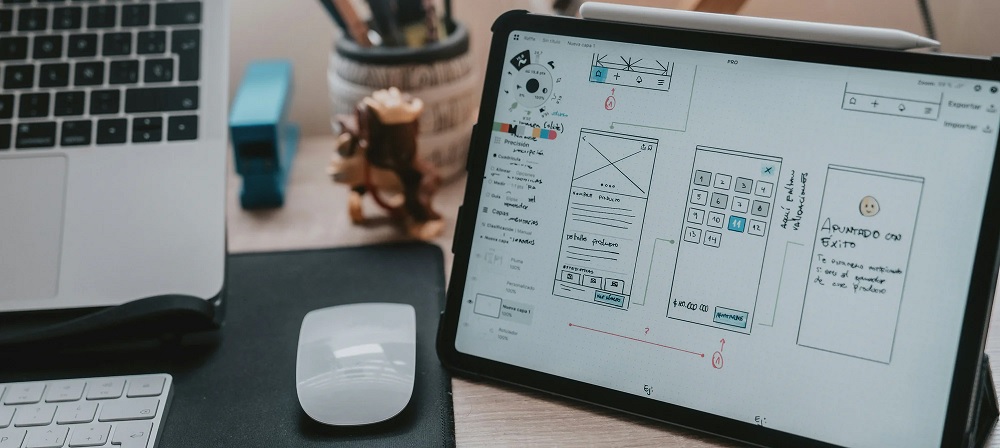

In the ever-evolving world of eCommerce, the term “User Experience” (UX) has become a central focus for online store owners, designers, and marketers alike. At its core, UX is all about how users interact with your website and whether they find it easy, enjoyable, and efficient to navigate. However, the concept of UX in online stores is often misunderstood, reduced to basic design aesthetics or load times. The truth is that creating a seamless online shopping experience involves much more than just pretty visuals. It requires a deep understanding of human behavior, user psychology, and design principles. In this article, we’ll explore some essential aspects of online store UX that you may not have considered, yet can significantly influence customer satisfaction and ultimately, conversions.
1. The Psychology of First Impressions
The first few seconds a user spends on your online store can make or break their entire shopping experience. Research suggests that users form an opinion about a website within 50 milliseconds of landing on it. This is why the design and layout of your store must not only be visually appealing but also intuitive and aligned with your brand identity.
However, what many overlook is the psychological impact of first impressions. A cluttered homepage or an overly complex navigation system can lead to cognitive overload, causing frustration and prompting users to abandon the site. To avoid this, focus on clarity and simplicity. A clean, minimalist design allows users to focus on the most important elements without distraction. Use color, typography, and imagery strategically to guide users’ attention toward key actions, such as browsing products, adding items to the cart, or completing a purchase.
2. Navigation: The Unsung Hero of UX
While it may seem like a small detail, the way a user navigates your site is pivotal to their overall experience. A poor navigation structure is one of the quickest ways to turn potential customers into frustrated abandoners. Effective navigation goes beyond having a simple “Home” or “Shop” button; it’s about anticipating user needs and organizing content in a way that feels intuitive.
One fundamental principle in navigation design is to prioritize what is most important. The key product categories should be easily accessible, and similar items should be grouped together. Dropdown menus, search bars, and filters can significantly improve the user’s ability to find what they’re looking for without unnecessary scrolling or clicking.
Furthermore, the concept of “breadcrumb” navigation—showing users the path they’ve taken to reach their current page—helps users maintain orientation on the site. It allows them to trace their steps back easily, which can be particularly useful for larger stores with extensive product ranges.
3. Mobile Optimization: No Longer an Afterthought
With over half of all online shopping now happening via mobile devices, ensuring your online store is optimized for mobile users is crucial. Yet, many store owners still treat mobile design as an afterthought, often resulting in a disjointed experience between the desktop and mobile versions of their site.
Mobile optimization is about much more than making sure your site “fits” on smaller screens. It requires rethinking how customers engage with your content and redesigning elements to provide a fluid, touch-friendly experience. For example, navigation menus should be easy to access with a thumb, and buttons should be large enough to tap without frustration. Pages should load quickly, as delays in mobile performance can cause customers to bounce before even viewing your products. Mobile-first design is no longer a luxury; it is a necessity to keep up with consumer expectations.
4. The Importance of Load Times
A delay of even a few seconds in page load time can drastically affect the user experience. According to studies, if a page takes longer than 3 seconds to load, the probability of a user bouncing increases significantly. This is particularly important in an era where consumers expect near-instant gratification.
Aside from affecting user satisfaction, slow load times also hurt your SEO rankings. Search engines like Google factor load times into their algorithms, meaning that a slower site could rank lower in search results, which directly impacts your traffic. Optimization strategies, such as image compression, code minification, and leveraging browser caching, can help reduce load times and deliver a faster, smoother shopping experience.
5. The Power of Personalization
Personalization is one of the most effective ways to enhance the UX of an online store. By tailoring the shopping experience based on a user’s behavior, preferences, and past interactions, you can make them feel valued and understood. This is not just about inserting a customer’s name in a greeting message; it’s about offering products they’re more likely to purchase, suggesting items based on browsing history, or even displaying promotions relevant to their shopping habits.
Implementing personalized recommendations can increase conversion rates, as customers are more likely to engage with products that resonate with them. Moreover, offering personalized discounts or loyalty rewards based on user activity adds a level of thoughtfulness that strengthens the emotional connection between the customer and your store.
6. Trust Signals: The Hidden Influence on Buying Decisions
In the world of online shopping, trust is everything. Users need to feel secure before they part with their money. Building trust through UX involves using certain “trust signals” throughout your website. These are subtle yet powerful elements that reassure users that your store is legitimate, secure, and professional.
Trust signals include things like SSL certificates (which ensure your website is secure), clear return and shipping policies, customer reviews, and payment options (such as PayPal or trusted credit card processors). Highlighting these trust signals, especially during the checkout process, can reduce cart abandonment rates. Moreover, providing customer testimonials or ratings for products helps potential buyers feel confident in the quality of the goods they’re considering.
7. The Role of Visual Hierarchy in User Engagement
Visual hierarchy is a principle of design that plays a crucial role in guiding users’ attention and prioritizing content. By using size, color, and spacing effectively, you can ensure that the most important elements of your online store—like product images, call-to-action buttons, and promotional offers—stand out clearly.
For example, your “Add to Cart” or “Buy Now” buttons should be larger and more prominent than other elements to make them easily recognizable. Product images should be high-quality and showcase the product from different angles, so customers can make informed decisions. The use of contrasting colors and white space can help direct the user’s eye and create a visually appealing flow that makes it easier for them to navigate the store.
8. Creating a Seamless Checkout Process
A well-designed checkout process is one of the most crucial aspects of online store UX. This is where many online retailers lose potential customers. A complicated or lengthy checkout process can lead to cart abandonment, with studies showing that over 70% of online shopping carts are abandoned before purchase.
To optimize your checkout process, reduce the number of steps required to complete a purchase. Allow customers to check out as guests instead of forcing them to create an account, and ensure that all required fields are clearly marked. Offering multiple payment methods—including credit cards, PayPal, and other digital wallets—can also help accommodate different user preferences. Additionally, displaying a progress bar to show how far the customer is in the checkout process can help alleviate any frustration or uncertainty.
9. The Impact of Customer Support Integration
Finally, one often-overlooked aspect of online store UX is the integration of customer support features. If a user encounters a problem or has a question during their shopping experience, being able to access quick and effective support can make a huge difference.
Live chat, easy-to-find contact information, and comprehensive FAQ sections help users resolve issues without abandoning the site. Implementing AI-driven chatbots for instant answers can also reduce wait times and provide a more responsive shopping experience. Ensuring that your customer service options are clearly visible on every page reinforces the message that help is always just a click away.
Conclusion
UX is much more than an aesthetic choice; it’s the backbone of a successful online store. From first impressions to seamless navigation, from mobile optimization to a smooth checkout process, every element of your store plays a role in how users interact with your brand. By understanding and implementing these often-overlooked aspects of online store UX, you can create an experience that not only attracts customers but also encourages them to stay, engage, and ultimately convert into loyal buyers. In a world where convenience and user-centered design are key, investing in superior UX is an investment in the long-term success of your business.